Three Tier Application Deployment on Kubernetes

Prerequisites
Basic knowledge of Docker, and AWS services.
An AWS account with necessary permissions.
Basic familiarity with Kubernetes, Docker, Jenkins, and DevOps principles.
Clone the git: https://github.com/soheb9766/TWSThreeTierAppChallenge.git
Project Introduction:
Welcome to the End-to-End DevOps Kubernetes Project guide! In this comprehensive project, we will walk through the process of setting up a robust Three-Tier architecture on AWS using Kubernetes, DevOps best practices, and security measures. This project aims to provide hands-on experience in deploying, and securing, a scalable application environment.
Challenge Steps
Step 1: IAM Configuration
Create a user
eks-adminwithAdministratorAccess.Generate Security Credentials: Access Key and Secret Access Key.
Make new project directory in ubuntu machine and note that all the installation should be done with an outside project directory.
Step 2: EC2 Setup
Launch an Ubuntu instance in your favorite region (eg. region
us-west-2).SSH into the instance from your local machine.
EC2 instance with AMI machine t2.micro and add ports in security groups for backend deployment : 8080, frontend deployment : 3000

Step 3: Install AWS CLI v2
curl "https://awscli.amazonaws.com/awscli-exe-linux-x86_64.zip" -o "awscliv2.zip"
sudo apt install unzip
unzip awscliv2.zip
sudo ./aws/install -i /usr/local/aws-cli -b /usr/local/bin --update
aws configure
Step 4: Install Docker
sudo apt-get update
sudo apt install docker.io
docker ps
sudo chown $USER /var/run/docker.sock
Step 5: Install kubectl
curl -o kubectl https://amazon-eks.s3.us-west-2.amazonaws.com/1.19.6/2021-01-05/bin/linux/amd64/kubectl
chmod +x ./kubectl
sudo mv ./kubectl /usr/local/bin
kubectl version --short --client
Step 6: Install eksctl
curl --silent --location "https://github.com/weaveworks/eksctl/releases/latest/download/eksctl_$(uname -s)_amd64.tar.gz" | tar xz -C /tmp
sudo mv /tmp/eksctl /usr/local/bin
eksctl version
Step 7 : Create ECR images for both frontend and backend.
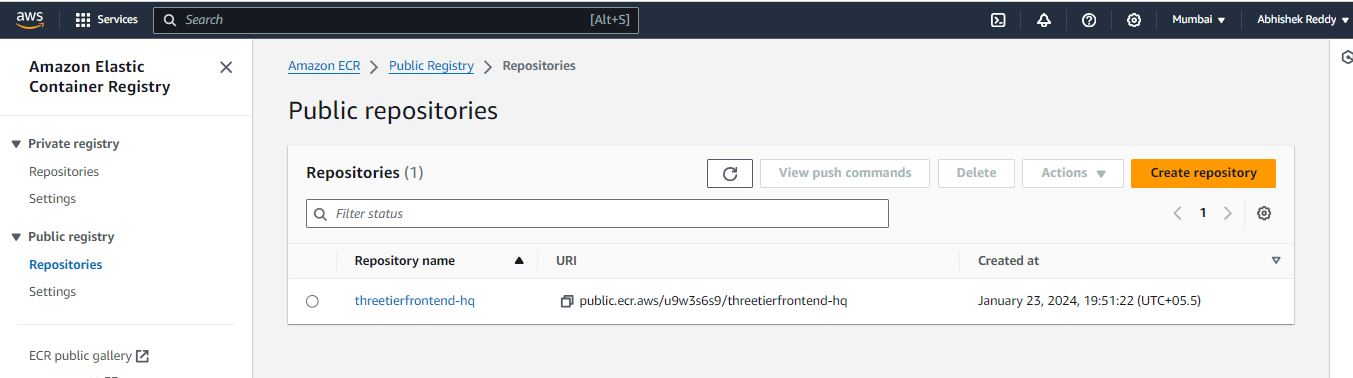
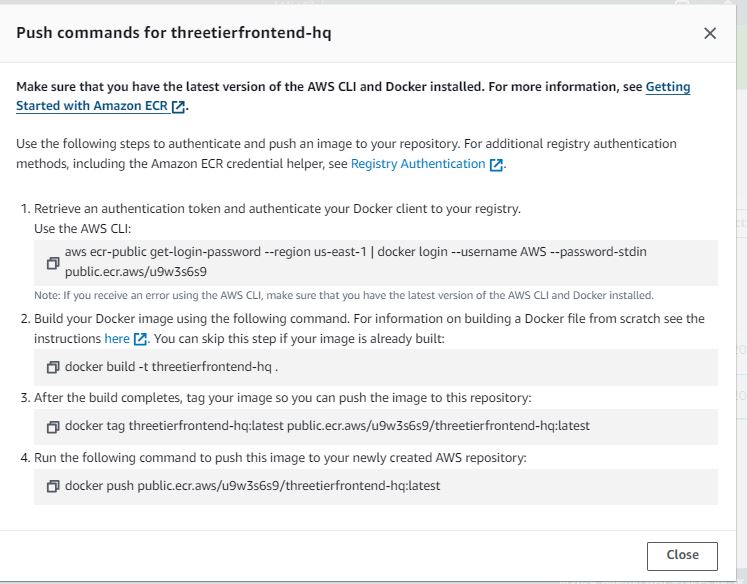
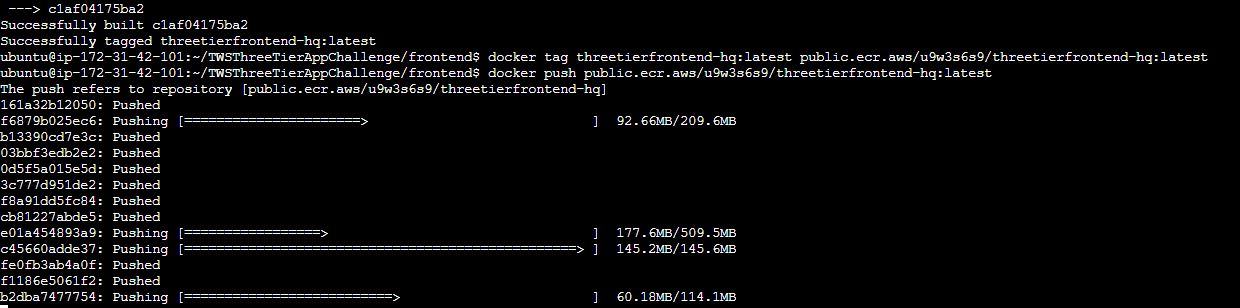
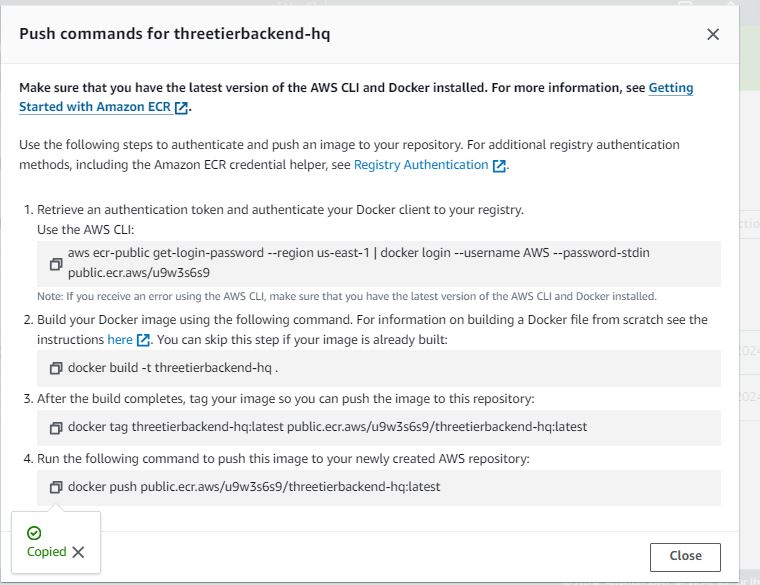
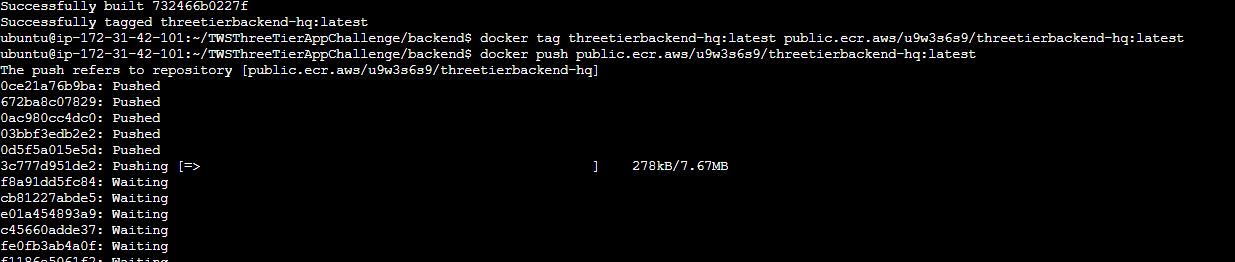
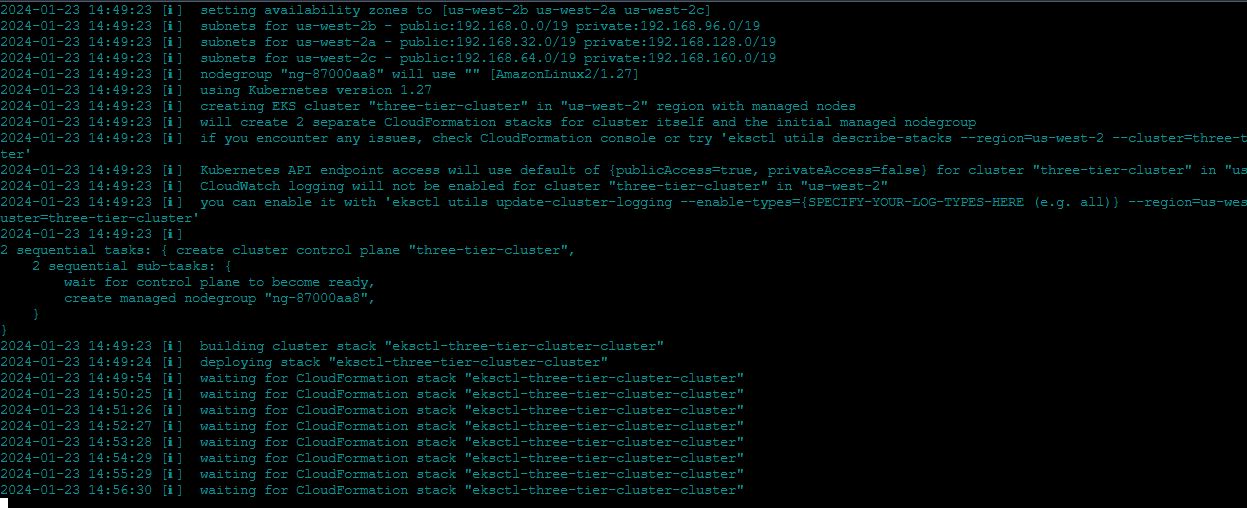
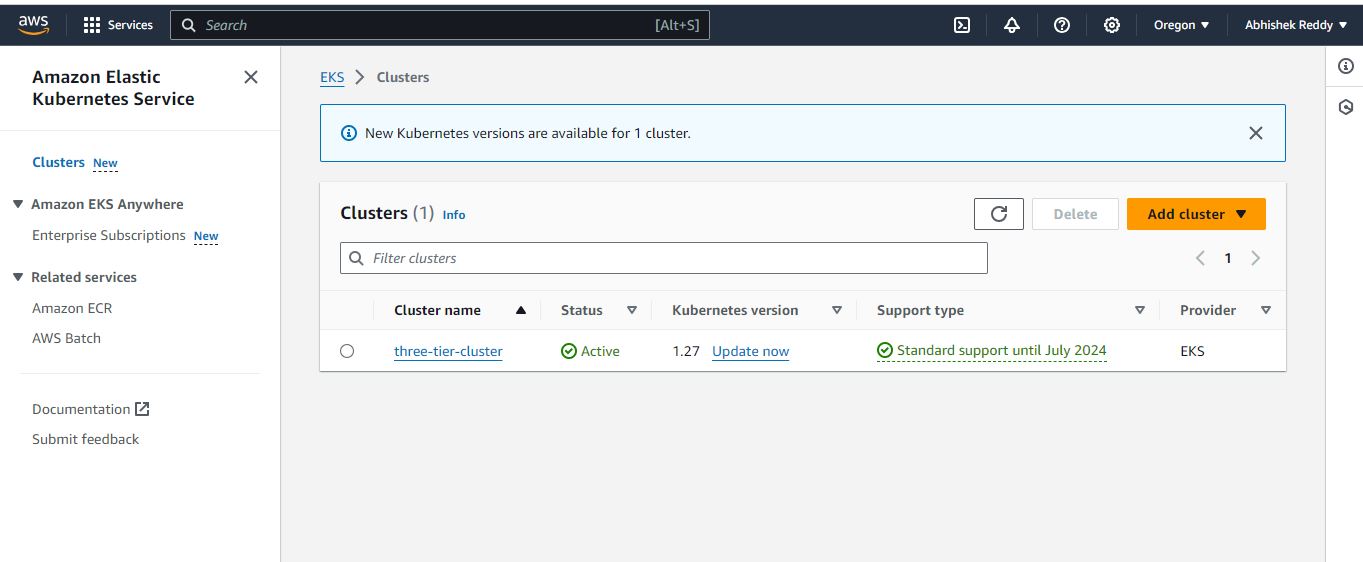
Step 8: Setup EKS Cluster in the region region us-west-2 with t2.medium with min nod 2 and max with 2
eksctl create cluster --name three-tier-cluster --region us-west-2 --node-type t2.medium --nodes-min 2 --nodes-max 2
aws eks update-kubeconfig --region us-west-2 --name three-tier-cluster
kubectl get nodes
Step 9 : Create namespace and Run Manifests files
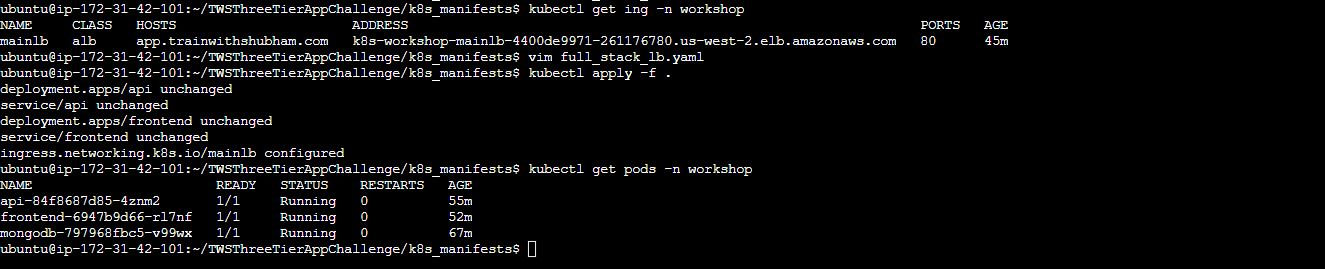
kubectl create namespace workshop
kubectl apply -f .

Step 10 : Install AWS Load Balancer
curl -O https://raw.githubusercontent.com/kubernetes-sigs/aws-load-balancer-controller/v2.5.4/docs/install/iam_policy.json
aws iam create-policy --policy-name AWSLoadBalancerControllerIAMPolicy --policy-document file://iam_policy.json
eksctl utils associate-iam-oidc-provider --region=us-west-2 --cluster=three-tier-cluster --approve
eksctl create iamserviceaccount --cluster=three-tier-cluster --namespace=kube-system --name=aws-load-balancer-controller --role-name AmazonEKSLoadBalancerControllerRole --attach-policy-arn=arn:aws:iam::626072240565:policy/AWSLoadBalancerControllerIAMPolicy --approve --region=us-west-2
Step 11: Install Helm and Deploy AWS Load Balancer Controller
sudo snap install helm --classic
helm repo add eks https://aws.github.io/eks-charts
helm repo update eks
helm install aws-load-balancer-controller eks/aws-load-balancer-controller -n kube-system --set clusterName=my-cluster --set serviceAccount.create=false --set serviceAccount.name=aws-load-balancer-controller
kubectl get deployment -n kube-system aws-load-balancer-controller
kubectl apply -f full_stack_lb.yaml

Step 12 : Add ECR images (frontend and backend) from AWS ECR to the frontend-deloyment.yaml and backend-deployment.yaml, Check the backend service is connected with Database or not

Step 13 : Check with the ingress alb address and edit the address in the full_stack_lb.yaml (host) and frontend_deployment.yaml (env value), apply these yamle files again (kubectl apply -f frontend_deployment.yaml and full_stack_lb.yaml)

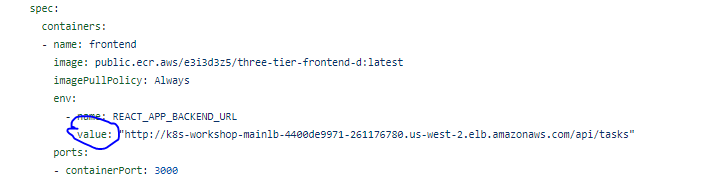
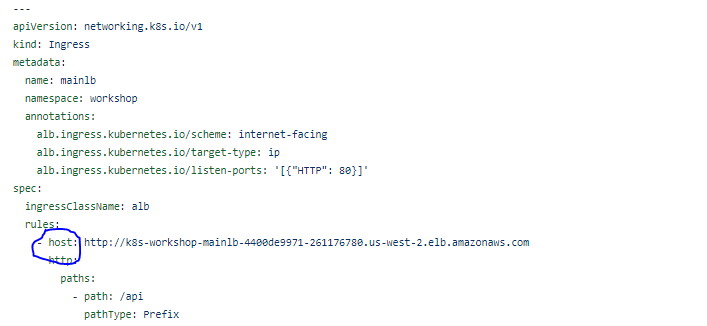
Step 14 : Copy the Ingress application load balancer address and paste in the new tab
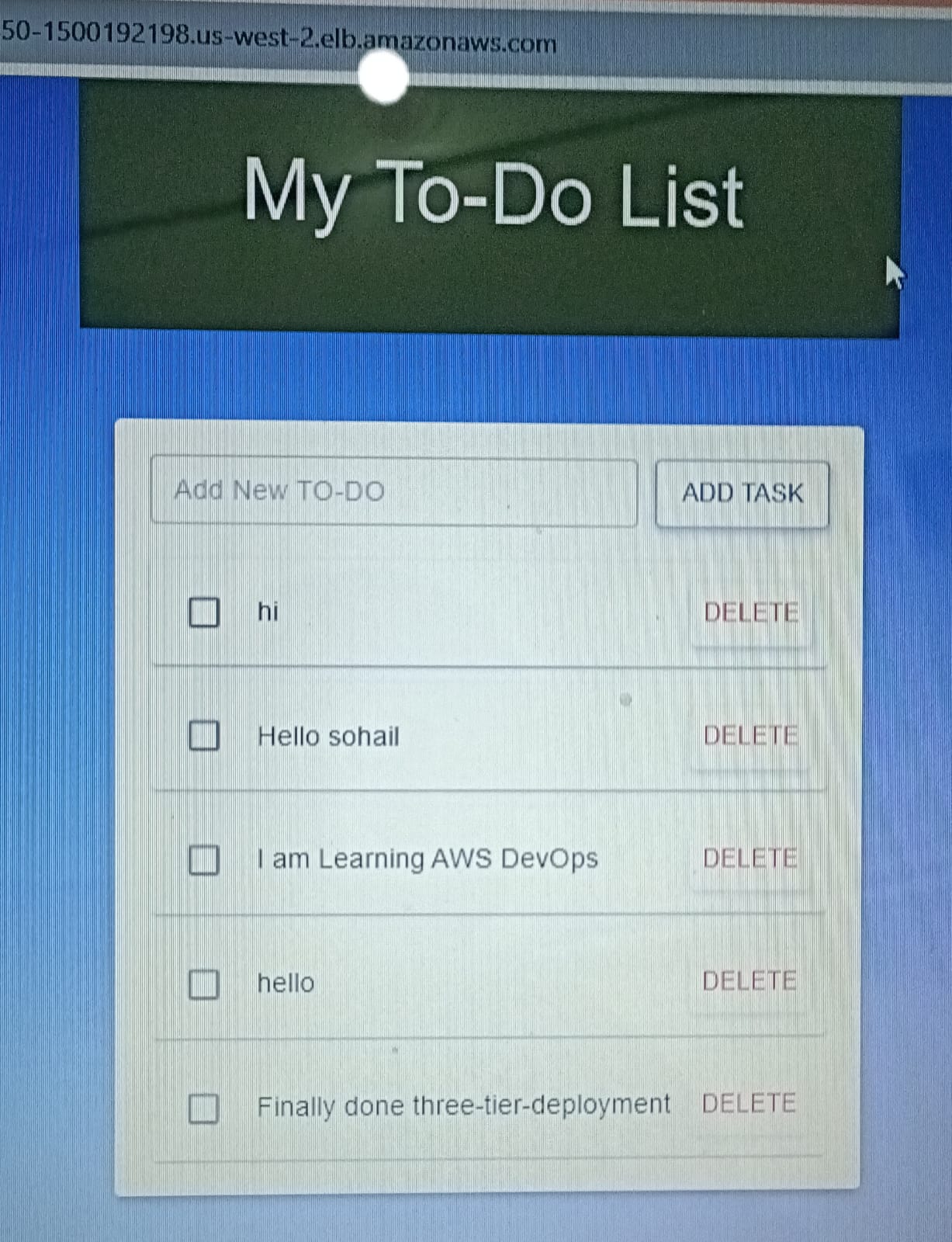
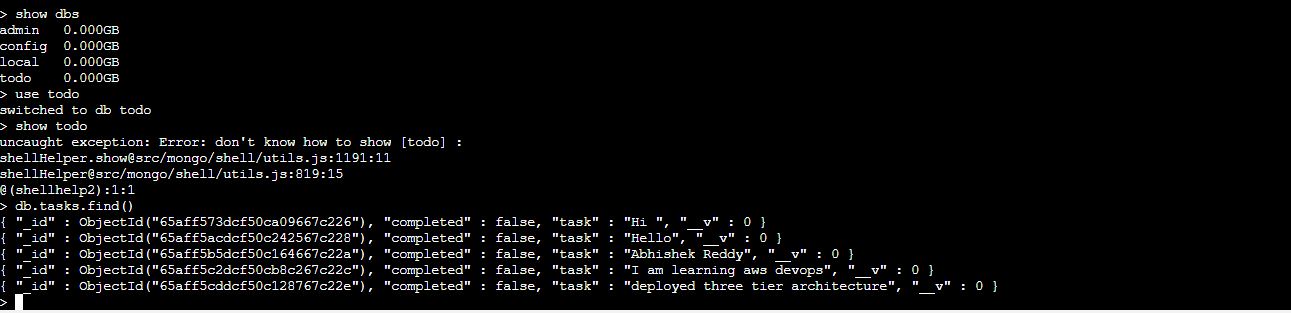
Step 15 : Check the data in the Mongo database
kubectl exec -it mongodb-797968fbc5-v99wx -n workshop -- /bin/sh
mongo
show dbs
use todo
db.tasks.find()
Step 16 : Clean or delete the EKS cluster
eksctl delete cluster --name three-tier-cluster --region us-west-2
Happy Learning! 🚀👨💻👩💻


