Day 24 Task: Complete Jenkins CI/CD Project.
DevOps Engineers in the today article, We will learn Practical of Jenkins project with the help NodeJS Application, Now let us discuss with the help of Task.
Task-01
Fork create a repository on GitHub account, repository name node-todo-cicd. I will use and click on the create repository button.
Task-01
Fork create a repository on GitHub account, repository name node-todo-cicd. I will use and click on the create repository button.

repository on GitHub account, repository name node-todo-cicd. Diagram.
Now Create a Connection to your Jenkins with the GitHub integration with the help of SSH key. Process will be mentioned here:-
Syntax:- ssh-keygen
cd .ssh ; cat id_rsa.pub (it will show the ssh key of your system linux, Ec2 instance which environment you will be used)

cat id_rsa.pub file Digram.
Configure the SSH-Key in your GitHub account Settings
Click on the Profile button>go to the settings > on the left side ssh and GPG keys add a new ssh key and provide Tittle with following key.

Click on the settings button Digram,

Added SSH-Key in your GitHub account Diagram.
For GitHub-Webhook:
A) Go to your GitHub repository and click on Settings.
B) Click on Webhooks and then click on Add webhook.
C) In the Left side contents and Automation select the weebhook option. Now click on add option.Payload URL enter the Jenkins url with its port no:
Syntax: https://ip:8080/github-web
D) In the content type select the application/json.
E) Click on Add webhhok.

Webhook option in Github Diagram.
Now next step is the install Plugins in Jenkins
Open the Jenkins Dashboard.
Click on Manage-Jenkins button on your Jenkins dashboard.
In the System configuration, Click on Manage Plugins.
Install the GitHub integration Plugin.
In the Ava liable plugins option,search the GitHub integration.

Git-Hub Integration install in avaliable plugins option Digram.
Let's move forward:- Configuration of Jenkins:-

Jenkins Configuration Page Diagram.
2. Click on the New Item.
3 Give a Name node-todo-cicd free style project, Click on the ok button.

Create a freestyle project Diagram.
4 In the General option, Provide a description name,select the git-hub project and paste your git hub URL repository link.

Add a Github project link Diagram.
5 In Source code Management add Repository url:-

In Source code Management add Repository url:-
6. Credentials option click on add-and select the jenkins option.

Add credentials of Jenkins Diagram.
7.Select the ssh-keygen with username, provide a Ec2 instance username.

Add a Jenkins Credentials sshkeygen with username Diagram.
8. Click on the ‘Build Triggers’ tab and then on the ‘GitHub hook trigger for GITScm polling’. click on apply and save.

trigger for GITScm polling’ Diagram.
Task-02
- In the Execute shell run the application using Docker compose

- You will have to make a Docker Compose file for this Project
NOTE : Install the docker compose on your server ( like for ubuntu - docker-compose install -y)
- After build you can check console output.


- You will have to make a Docker Compose file for this Project (Can be a good open source contribution)
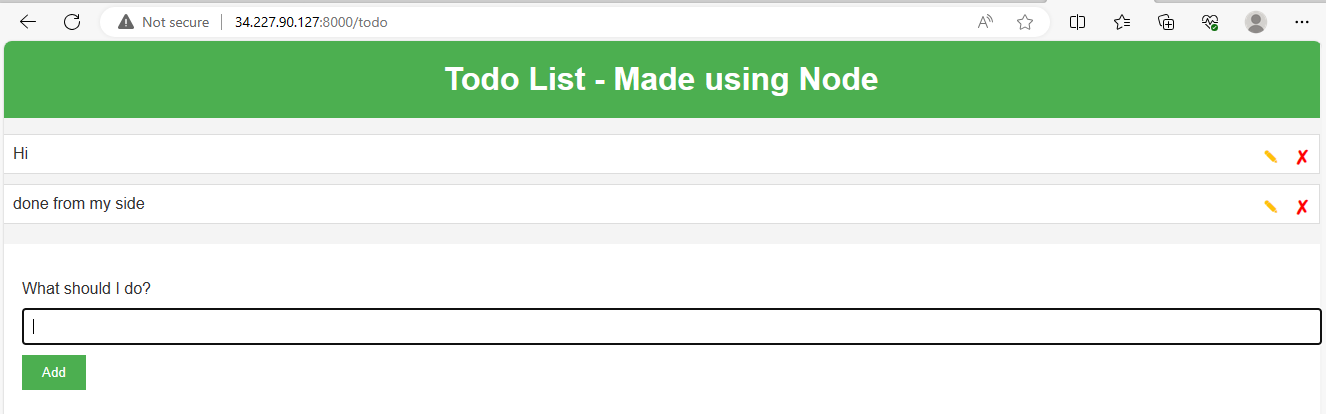
- Run the project and give yourself a treat:)


